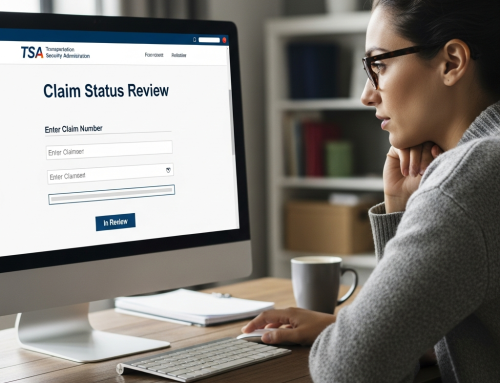
What Is OWCP Connect and How Do You Use It?

Picture this: you’re sitting at your kitchen table at 11 PM, surrounded by a stack of paperwork that looks like it could rival the Library of Congress. Your work injury happened three months ago, and you’re still trying to navigate the maze of forms, appointments, and… wait, what’s this OWCP Connect thing your case manager mentioned?
You stare at your laptop screen, cursor blinking in that judgmental way cursors do when you’re procrastinating. Part of you wants to just shove everything back in the manila envelope and deal with it tomorrow. But tomorrow keeps becoming next week, and next week has a funny way of turning into next month.
Sound familiar?
If you’re nodding along – maybe even glancing at your own pile of federal workers’ compensation paperwork – you’re definitely not alone. The Office of Workers’ Compensation Programs (OWCP) handles thousands of cases, and honestly? The system can feel like it was designed by someone who really, really loved bureaucracy. Like… *really* loved it.
But here’s the thing that might surprise you: OWCP Connect was actually created to make your life easier. I know, I know – it’s hard to believe that anything government-related could simplify your world instead of complicating it. Yet this online portal is basically the difference between waiting in line at the DMV for three hours versus renewing your registration from your couch in your pajamas.
Think of OWCP Connect as your personal command center for everything related to your workers’ compensation claim. Remember when managing your bank account meant actually going to the bank? (Some of you are probably too young for this reference, but work with me here.) Now you can check balances, transfer money, even deposit checks just by pointing your phone at them. OWCP Connect brings that same kind of convenience to the often frustrating world of federal injury claims.
The truth is, most people stumble into OWCP Connect the way most of us discover new restaurants – through necessity, confusion, and maybe a little desperation. You’re probably here because someone mentioned it in passing, or you received a letter with a web address that looked like it was generated by a robot having a bad day. Maybe your HR department handed you a pamphlet that explained absolutely nothing useful.
Whatever brought you here, you’re asking the right questions. Because understanding how to use OWCP Connect isn’t just about checking boxes or satisfying bureaucratic requirements – it’s about taking control of your situation when everything else feels chaotic and uncertain.
We’re going to walk through this together, step by step. No corporate jargon, no assuming you have a master’s degree in government acronyms. Just straight talk about what this system actually does, how to get into it without pulling your hair out, and – this is the important part – how to use it to make your life genuinely easier.
You’ll learn how to set up your account (because yes, there are some tricks that aren’t immediately obvious). We’ll cover the main features that actually matter to real people dealing with real injuries – not just the ones that look good in training manuals. I’ll show you how to track your claim status without feeling like you need a decoder ring, and how to submit documents without wondering if they disappeared into some digital black hole.
More importantly, we’ll talk about the common mistakes that can slow down your case… because nobody tells you about those upfront. Things like which file formats actually work, what information you absolutely need to have handy, and why certain deadlines matter more than others.
By the time we’re done, OWCP Connect will feel less like an intimidating government portal and more like a useful tool that’s actually on your side. You’ll know exactly what to click, when to click it, and what to do when (not if, but when) something doesn’t work the way it’s supposed to.
Ready to turn that stack of confusing paperwork into something manageable? Let’s get started.
The Federal Worker’s Safety Net – What We’re Really Talking About Here
So you’ve heard about OWCP Connect, but let’s back up a second. You know how when you get hurt at your regular job, there’s usually workers’ compensation? Well, federal employees have something similar – but of course, because it’s the government, it’s got its own special system.
The Office of Workers’ Compensation Programs (OWCP) is basically the federal government’s way of saying “okay, if you got hurt while doing your job for us, we’ll take care of you.” Think of it like… well, imagine if your employer was also your insurance company, your doctor’s office scheduler, AND your benefits administrator all rolled into one. That’s OWCP.
But here’s where it gets interesting (and honestly, a bit overwhelming at first) – OWCP Connect is the digital gateway to all of this. It’s not just a website where you file a claim and forget about it. It’s more like your ongoing relationship manager with the entire federal workers’ compensation system.
Why the Old System Needed a Digital Makeover
Picture this: for decades, federal employees dealing with work injuries were drowning in paperwork. I’m talking about forms that had to be printed, filled out by hand, mailed, then… you’d wait. And wait. And maybe call to see if anyone received anything, only to be told your case was “being reviewed.”
It was like trying to have a conversation through a really, really slow postal service – except the conversation was about your health, your ability to work, and your financial stability.
OWCP Connect came along to solve this mess. Instead of playing postal tag with critical documents, you can now manage your entire case online. Submit forms, check claim status, upload medical records, communicate with your claims examiner – it’s all there.
The Three Main Players You’ll Encounter
When you’re dealing with OWCP Connect, you’re not just interacting with a computer system. There are real people behind the scenes, and understanding who they are makes everything less mysterious.
Your Claims Examiner is probably the most important relationship you’ll develop. Think of them as your case manager – they review your medical evidence, make decisions about your benefits, and basically shepherd your claim through the process. Through OWCP Connect, you can message them directly instead of playing phone tag.
Your Attending Physician (that’s OWCP-speak for your main doctor treating the injury) also uses the system. They’ll submit medical reports, treatment plans, and those all-important work capacity evaluations that determine whether you can return to work.
Your Federal Agency’s HR department stays in the loop too. They’re the ones who initially report your injury and work with OWCP on things like modified duty assignments.
The Document Dance – Understanding What Flows Where
Here’s something that confused me when I first learned about this system – OWCP Connect isn’t just about filing your initial claim. It’s about managing an ongoing conversation that can last months or even years.
Every work injury creates what’s essentially a paper trail (digital now, thankfully). Medical reports flow from your doctor to OWCP. Benefit payment information flows back to you. If you need to return to work with restrictions, those flow to your employer. Status updates, appointment schedules, prescription approvals – it all moves through this system.
Think of it like a three-way group chat between you, your medical team, and the government… except the chat affects your paycheck and your health coverage.
The Benefits Web – It’s More Than Just Medical Bills
This is where things get counterintuitive. When most people think “workers’ comp,” they think medical bills getting paid. But OWCP benefits are actually more comprehensive – and more complex – than that.
You’ve got medical benefits, sure. But there’s also compensation for lost wages, vocational rehabilitation if you can’t return to your old job, even survivor benefits for families. Some people receive ongoing disability payments for years.
OWCP Connect manages all of these moving pieces. It’s like having a benefits coordinator, medical scheduler, and financial advisor all accessible through one login.
The tricky part? Understanding which benefits you’re eligible for and when. That’s where the system really earns its keep – instead of wondering about your case status, you can actually see what’s happening in real-time.
Setting Up Your Account Like a Pro
Here’s what they don’t tell you upfront – OWCP Connect can be temperamental about browsers. Chrome and Firefox work best, but avoid Internet Explorer like it’s 2005 (because it basically is). Clear your cache before starting, and honestly? Do this on a computer, not your phone. I know, I know… we do everything on our phones these days, but trust me on this one.
When creating your password, OWCP has some quirky requirements. It needs to be exactly 8-12 characters – not more, not less – with at least one uppercase letter, one number, and one special character. But here’s the kicker: certain special characters will make the system hiccup. Stick with basic ones like ! or @ and you’ll save yourself a headache.
Write down your security questions and answers somewhere safe. I’ve seen too many people get locked out because they can’t remember if they typed “Main Street” or “Main St.” six months ago.
Navigating the Dashboard Without Losing Your Mind
Once you’re in, the dashboard might look overwhelming – like someone threw every possible menu option at a wall and called it good. But here’s your roadmap: focus on just three sections initially.
The “My Claims” section is your home base. This shows all your active cases and their current status. Don’t panic if something shows “Pending” for weeks… that’s unfortunately normal. The system updates sporadically, not in real-time.
“File Management” is where you’ll spend most of your time. Think of it as your digital filing cabinet, except sometimes the drawers stick. When uploading documents, rename them clearly before uploading. Instead of “IMG_2847.jpg,” use something like “MRI_Results_Jan2024.pdf.” Your future self will thank you.
The “Correspondence” tab is easily missed but crucial – this is where OWCP sends you messages. Check it weekly, because they won’t email you to tell you there’s a new message waiting. I know, it’s backwards.
Document Upload Secrets That Actually Work
Here’s where most people get frustrated, but I’ve got some tricks. First, OWCP Connect is picky about file sizes – keep everything under 10MB. If your medical records are huge PDF files, use a free online PDF compressor first.
The system accepts PDFs, JPGs, and Word docs, but PDFs are your safest bet. They won’t get corrupted or reformatted. When scanning documents, use 300 DPI – high enough for clarity, not so high that files become massive.
Always upload documents the day you receive them, even if you think you might not need them. Storage space isn’t an issue, but finding that one form from three months ago? That’s the real problem. Create a simple naming system: Date_DocumentType_Description works well.
Pro tip that nobody mentions: if an upload fails, don’t immediately try again. Wait about 10 minutes. The system sometimes needs time to “digest” the previous attempt, and rapid-fire uploads can crash your session.
Communicating Effectively Through the Platform
The messaging system in OWCP Connect isn’t like texting or email – it’s more formal, and your tone matters. Always include your claim number in every message (I usually put it in the subject line too). Be specific about what you need: instead of “I have questions about my case,” try “Need clarification on additional medical documentation required for claim #12345678.”
Keep messages concise but complete. These case workers handle dozens of claims, so make their job easier by being clear and organized. If you’re submitting multiple pieces of information, use numbered lists. It sounds silly, but it works.
Response times vary wildly – sometimes you’ll hear back in 48 hours, sometimes in three weeks. If it’s been more than two weeks for something urgent, it’s appropriate to send a follow-up message. Just be polite about it.
Troubleshooting Common Hiccups
The platform will log you out after 30 minutes of inactivity – no warnings, no second chances. Save your work frequently if you’re filling out long forms. I’ve learned this the hard way… twice.
If you get error messages, screenshot them before trying anything else. The error codes actually mean something to the IT support team, and “it just said error” doesn’t help anyone.
Browser crashes happen more than they should. Keep OWCP Connect in its own browser window – don’t mix it with your other tabs. Something about the security protocols doesn’t play well with multiple sites open simultaneously.
When OWCP Connect Just Won’t Cooperate
Let’s be real for a minute – OWCP Connect isn’t exactly winning any awards for user-friendly design. It’s one of those government systems that feels like it was built by people who’ve never actually had to use it themselves. You know what I mean? The kind of interface that makes you wonder if someone, somewhere, is having a good laugh at your expense.
The most common complaint I hear? The system kicks you out constantly. You’ll be halfway through uploading a crucial document – maybe that medical report you’ve been waiting weeks for – and boom. Session expired. Back to square one. It’s maddening, especially when you’re dealing with pain or fatigue that makes concentrating difficult in the first place.
Here’s what actually works: open a second browser tab and keep refreshing the main OWCP Connect page every few minutes while you work. I know, I know – you shouldn’t have to do digital gymnastics just to submit paperwork, but this little trick keeps your session alive. Also, prepare all your documents beforehand and have them ready to upload in one sitting. Don’t try to multitask… the system punishes efficiency.
The Document Upload Nightmare
Speaking of documents – this is where things get really frustrating. The system is incredibly picky about file formats, but it never tells you the rules upfront. You’ll spend twenty minutes trying to upload a PDF, only to get some cryptic error message that helps exactly nobody.
The file size limits are weirdly small for 2024 – we’re talking 10MB max, which is nothing if you’re dealing with detailed medical imaging or comprehensive reports. And don’t even get me started on the naming conventions… apparently spaces and special characters are the devil according to OWCP Connect.
Your survival strategy: Keep file names simple – just letters, numbers, and underscores. Save everything as a PDF if possible (most medical offices can do this for you). If your file is too large, there are free online compressors, but honestly? Sometimes you’re better off calling your claims examiner directly and asking how they want to handle oversized documents.
The Mysterious Case of Missing Information
Here’s something that’ll drive you up the wall – information that just… disappears. You know you uploaded that form last week. You have the confirmation email and everything. But when you log back in? Poof. Gone. Like it never existed.
This isn’t user error, by the way. The system has legitimate glitches that even the OWCP folks acknowledge (though they’ll never admit it directly). Sometimes documents get stuck in digital limbo. Sometimes your case status reverts to an earlier state for no apparent reason.
The workaround that’s saved my sanity – and probably yours too – is to screenshot everything. I mean everything. When you upload a document, screenshot the confirmation page. When your status changes, screenshot that too. Keep a folder on your phone or computer with dated screenshots. It sounds paranoid, but you’ll thank me when you need to prove you submitted something that the system “lost.”
When Phone Numbers and Passwords Become Your Enemy
Oh, and let’s talk about the authentication nightmare… The two-factor authentication system has a mind of its own. Sometimes it sends codes to the wrong number (even if you’ve only ever had one number on file). Sometimes it just doesn’t send them at all. You’ll sit there refreshing your messages like you’re waiting for a text from your high school crush.
The password requirements are equally ridiculous – so specific that you’ll never remember them, so you end up resetting your password every single time you try to log in. Which, naturally, requires another round of two-factor authentication. See the cycle here?
Pro tip: Set up your account using a phone number you always have with you – not your work phone or a landline. Use a password manager (most phones have them built-in now) to store that impossibly complex password. And if you’re really struggling with the authentication, you can actually request to use email instead of text messages… though good luck finding where they buried that option in the settings.
The Reality Check You Need
Look – I wish I could tell you that OWCP Connect is going to get easier, but honestly? It probably won’t anytime soon. Government systems change at the speed of molasses, and user experience clearly wasn’t a priority when they built this thing.
But here’s what I’ve learned from helping hundreds of people navigate this mess: persistence beats perfection. You don’t need to master the system – you just need to outlast it.
What to Expect After Submitting Your Claim
So you’ve navigated OWCP Connect, uploaded your documents, and hit that submit button. Now what? Well, here’s where patience becomes your best friend – because the federal workers’ comp system moves at its own pace, and that pace is… let’s just say it’s not exactly lightning-fast.
Most people expect to hear back within a few weeks, but honestly? That’s pretty optimistic. The initial review process typically takes 45-60 days, sometimes longer if your case is complex or if they need additional documentation. I know, I know – when you’re dealing with an injury and potentially lost wages, two months feels like an eternity.
During this waiting period, you might get requests for more information. Don’t panic if this happens – it doesn’t mean your claim is being denied. Sometimes they just need clarification on dates, additional medical records, or witness statements. Think of it like… well, have you ever applied for a mortgage? Same energy. Lots of paperwork, lots of back-and-forth, but it doesn’t mean they’re going to reject you.
Understanding the Review Process
Your claim goes through several hands during the review process. First, it gets assigned to a claims examiner who’ll review your initial submission for completeness. They’re basically checking – did you fill out all the forms correctly? Are your medical records legible? Does your supervisor’s report match your version of events?
If everything looks good, your claim moves to the next level where they’ll evaluate the actual merits. This is where they determine if your injury is work-related and compensable under federal law. The examiner might contact your doctor, request additional medical opinions, or even schedule an independent medical examination.
Sometimes – and this is totally normal – they’ll approve part of your claim but ask for more information about other parts. Maybe they accept that you injured your back at work but need more documentation about the specific treatment you’re requesting. It’s not an all-or-nothing situation.
Staying Connected and Organized
Here’s something nobody tells you: keep logging into OWCP Connect regularly, even during the waiting period. The system gets updated with new information, correspondence, and status changes. You don’t want to miss an important request for additional documentation because you forgot to check.
Set up a simple reminder on your phone – maybe check once a week? That’s usually enough to stay on top of things without driving yourself crazy refreshing the page daily (trust me, I’ve seen people do this, and it’s not healthy).
Also, start a simple file folder – physical or digital, whatever works for you – to keep copies of everything. Every form you submit, every piece of correspondence, every medical report. The federal system is generally pretty good about keeping records, but having your own copies gives you peace of mind and makes it easier to reference things during phone calls.
When Things Don’t Go Smoothly
Let’s be real for a minute – not every claim sails through without hiccups. Sometimes claims get denied, sometimes they approve less than you expected, and sometimes the process just… stalls.
If your claim gets denied, don’t assume it’s over. You have appeal rights, and many denials happen because of missing documentation or misunderstandings about the injury circumstances. The appeals process uses the same OWCP Connect system, so at least you’re already familiar with the interface.
Communication breakdowns happen too. Maybe your claims examiner doesn’t return calls promptly, or you can’t figure out why your case seems stuck. This is where persistence pays off, but… polite persistence. These folks handle hundreds of cases, and being courteous goes a long way.
Setting Realistic Expectations
I’m going to level with you – this process can be frustrating. The system wasn’t designed for speed; it was designed for thoroughness and accuracy. That’s actually good news for you in the long run, because it means legitimate claims usually get approved eventually.
Most straightforward injury claims get resolved within 3-6 months. Complex cases – like occupational illnesses or injuries with multiple body parts – can take longer. If you’re dealing with a career-ending injury that requires vocational rehabilitation, we’re talking about a process that could extend over a year or more.
The key is staying engaged without letting the process consume your life. Keep copies of everything, respond promptly to requests for information, and don’t hesitate to follow up if things seem stalled. But also… try to focus on your recovery and getting back to normal life as much as possible.
You know, navigating the whole workers’ comp system can feel like trying to solve a puzzle while blindfolded. One minute you’re dealing with paperwork, the next you’re trying to figure out which doctor you can see, and somewhere in between… you’re supposed to master yet another online portal.
But here’s the thing – and I really mean this – you don’t have to figure it all out alone.
OWCP Connect might seem intimidating at first (honestly, most government websites do), but once you get the hang of it, it becomes this incredibly useful tool that puts so much control back in your hands. Think of it like learning to use a smartphone for the first time. Overwhelming initially? Absolutely. But now you probably can’t imagine life without it.
Getting the Support You Actually Need
The beautiful thing about having your medical information organized in one place is that it makes everything else easier. When you can track your appointments, communicate with your case worker, and monitor your claim status all from your laptop or phone, you’re not constantly playing phone tag or wondering what’s happening with your case.
And let’s be honest – when you’re dealing with a work injury, the last thing you need is additional stress about whether your paperwork went through or if your doctor got the right authorization. OWCP Connect takes a lot of that guesswork away.
When Technology Isn’t Enough
But here’s where I want to get real with you for a moment. While OWCP Connect is a fantastic tool for managing the administrative side of your workers’ comp claim, it can’t address everything you might be dealing with. If your injury has led to significant weight changes – whether from reduced mobility, medication side effects, or just the stress of everything you’re going through – that’s a whole different conversation.
We’ve seen so many people whose work injuries created this domino effect in their lives. Maybe you used to be active and now you’re struggling with weight gain. Or perhaps pain medications have affected your appetite and energy levels. Sometimes the emotional toll of dealing with workers’ comp makes it harder to maintain healthy habits… and that’s completely understandable.
You’re Not Alone in This
The thing is, weight management during recovery from a work injury requires a different approach than your typical “eat less, move more” advice. Your body is healing. Your routine has been disrupted. Your stress levels are probably through the roof. That’s why having medical professionals who understand both the physical and emotional aspects of recovery can make such a difference.
If you’re finding that your work injury has affected more than just the obvious physical symptoms – if you’re struggling with weight changes, energy levels, or just feeling overwhelmed by everything on your plate – we’re here to help. Not in a pushy, sales-y way, but in the same way we’d want someone to be there for our own family members going through something difficult.
Sometimes a simple conversation can help you figure out what kind of support might be most helpful right now. Whether that’s understanding how certain medications might be affecting your weight, learning about nutrition strategies that work when mobility is limited, or just having someone listen who gets it – we’re here.
Feel free to reach out whenever you’re ready. No pressure, just support when you need it.